Screenshots
A tour of every tab. Use the arrows to move through it, or click any image to open it full size.
What the Nifty 50 News Screener does
Two engines, kept apart on purpose, meeting only in one context column.
The news engine treats language as its filter, not price. Every sixty seconds it fetches the live NIFTY 50 constituent list, pulls headlines from sixteen Indian financial RSS feeds, scores each one for sentiment with a finance-tuned model, works out which constituent it belongs to, and stores it permanently in a local database. Everything on the news side of the app — the heatmap, the leaderboards, the mood score, the buy/sell signals — is computed from that store.
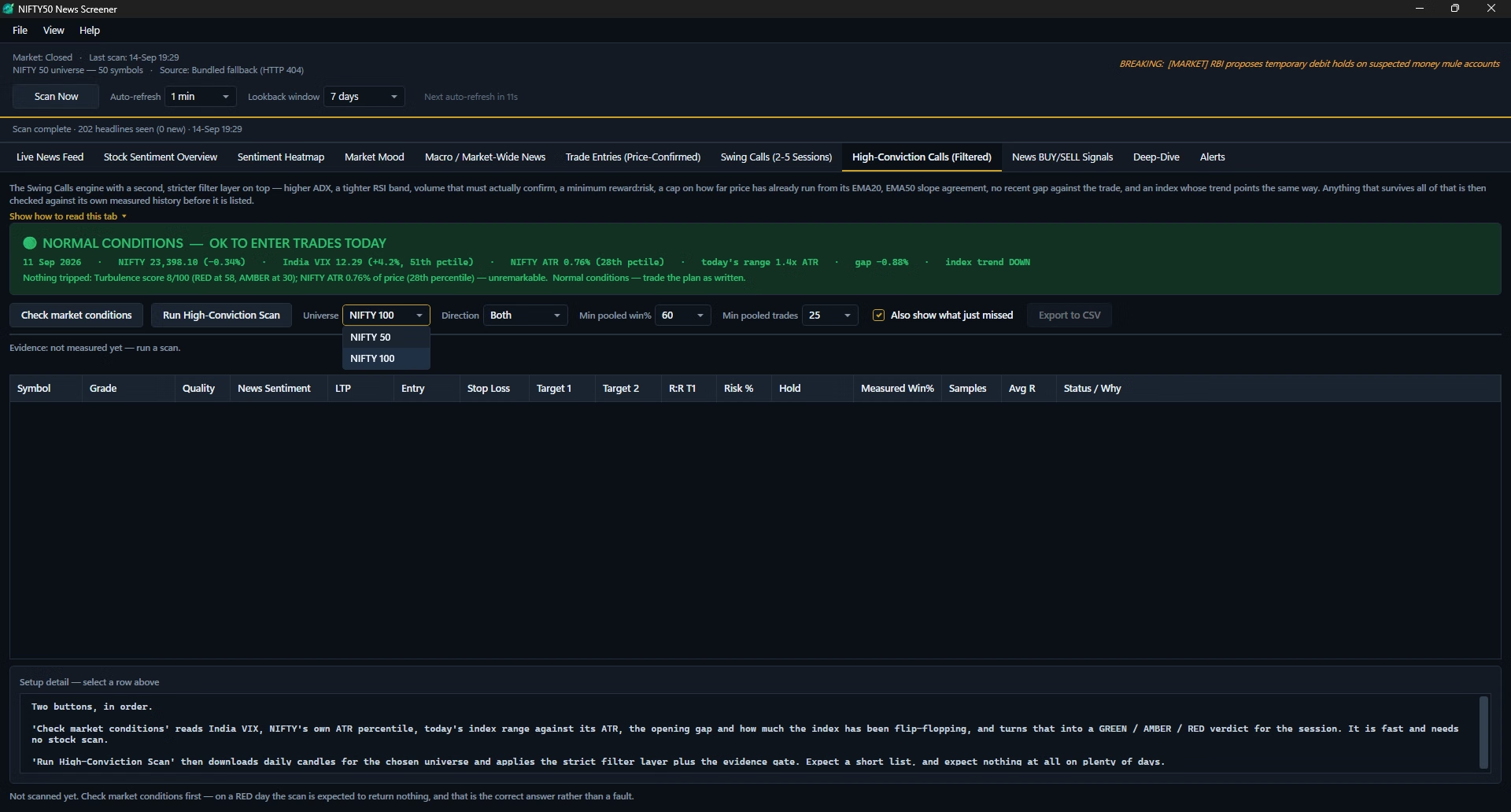
The swing trading screener is a second, separate engine that never reads a headline. It downloads roughly five hundred daily candles for every stock in NIFTY 50 or NIFTY 100 and applies one fixed technical rule to find trend-continuation setups meant to be held two to five sessions, producing an entry, a stop loss, two targets and a measured historical win rate for each one that survives.
What sets it apart from a browser tab of the same feeds
- A one-minute auto-scan runs in the background regardless of window focus, and two scans never overlap.
- Stories carried by several outlets merge into one row with a corroboration count instead of duplicates.
- Everything is saved to local history, so trend charts are drawn from accumulated data, not just what's on screen.
- A recent story outweighs an old one, and a wire service outweighs an aggregator — every source has its own reliability weight.
- Sentiment flips, strong single headlines and news-volume spikes raise a desktop toast across all fifty stocks, not just a watchlist.
- The swing rule is graded against roughly four hundred past sessions per stock, with the sample size shown alongside.
It does not place orders, connect to a broker or manage a portfolio, and carries no option chain, futures or derivatives data. It quotes no accuracy percentage for news sentiment — the swing screener's historical win rate is the one accuracy figure in the product, and it is a backtest on the stock's own past data, not a track record.
Each scan covers all fifty constituents by ticker and brand alias, list fetched live from the exchange with a cached and bundled fallback. Every symbol carries a sector tag — Banking, IT, Auto, FMCG, Pharma, Metals, Energy and others — used in the Market Mood sector rollup, and news scanning continues outside market hours, since results and global cues do not wait for the opening bell.
Everything the app learns stays local, in a single history file under your Windows profile — headlines, sentiment snapshots, price ticks and the alert log — exportable to CSV or wiped from Settings at any time. The only network requests are to the exchange, to the sixteen news feeds, to a market-data service for daily candles when you run a swing scan, and once to verify your licence key.
How a single scan works
Press Scan Now, or let the timer do it, and four steps run in the background while the window stays fully usable. The swing scan is separate and manual — see the swing trading screener section.
Fetch the live universe
Asks the exchange for the current NIFTY 50 list, last price and percentage change. Falls back to a cached list, then a bundled fallback, so a scan is never blocked.
Pull the feeds in parallel
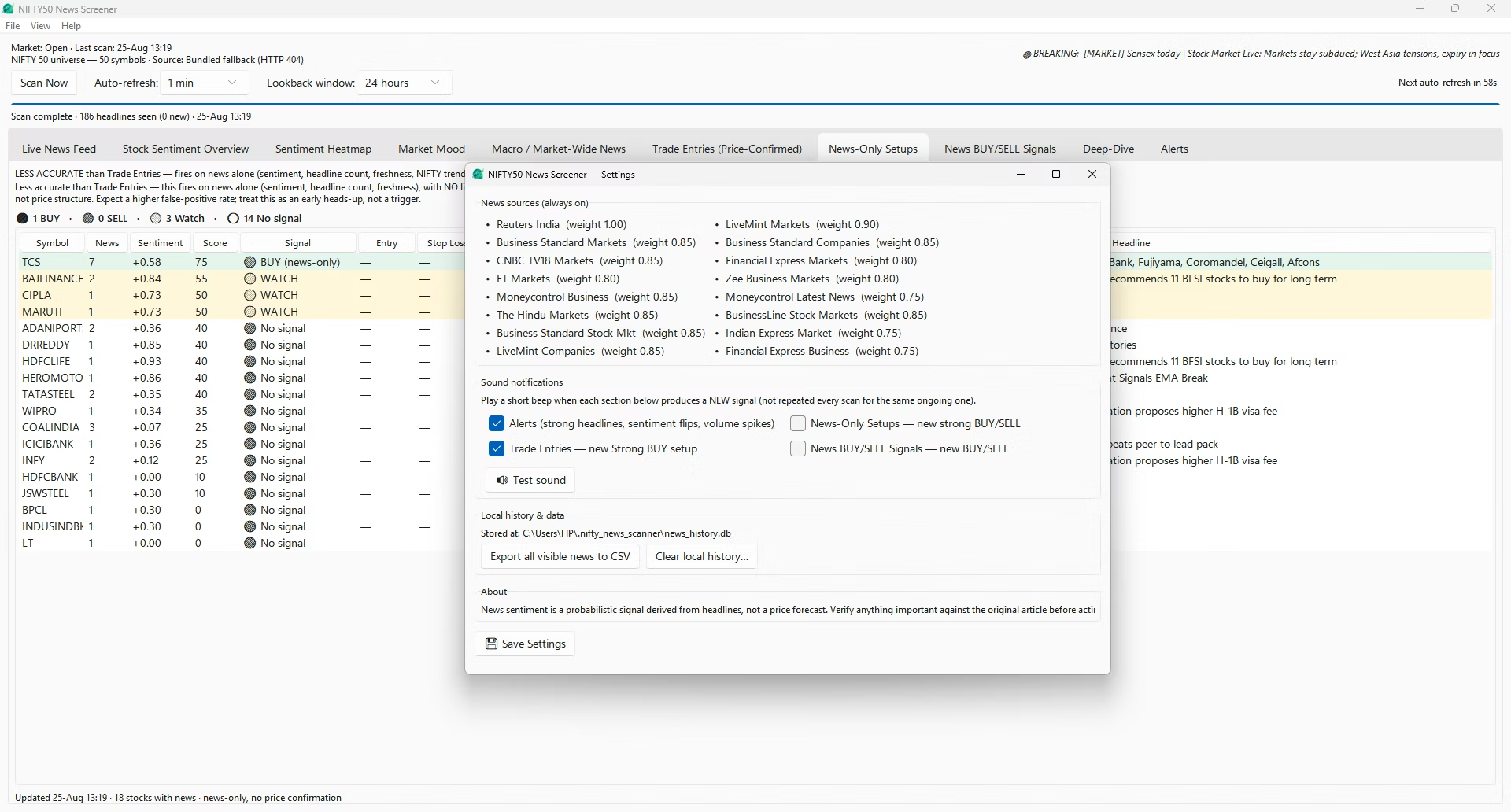
All sixteen sources are fetched at once, so a slow publisher delays only itself. Each source carries a reliability weight between 0.75 and 1.00.
Score, tag and categorise
Every headline is scored for sentiment, matched to a symbol via ticker and brand-name map, sorted into one of eight categories, and hashed so a repeat of the same story joins its existing cluster.
Store, recompute, alert
Results are written to local history, every tab recomputes from the full lookback window, and the alert engine compares the new state against the previous scan.
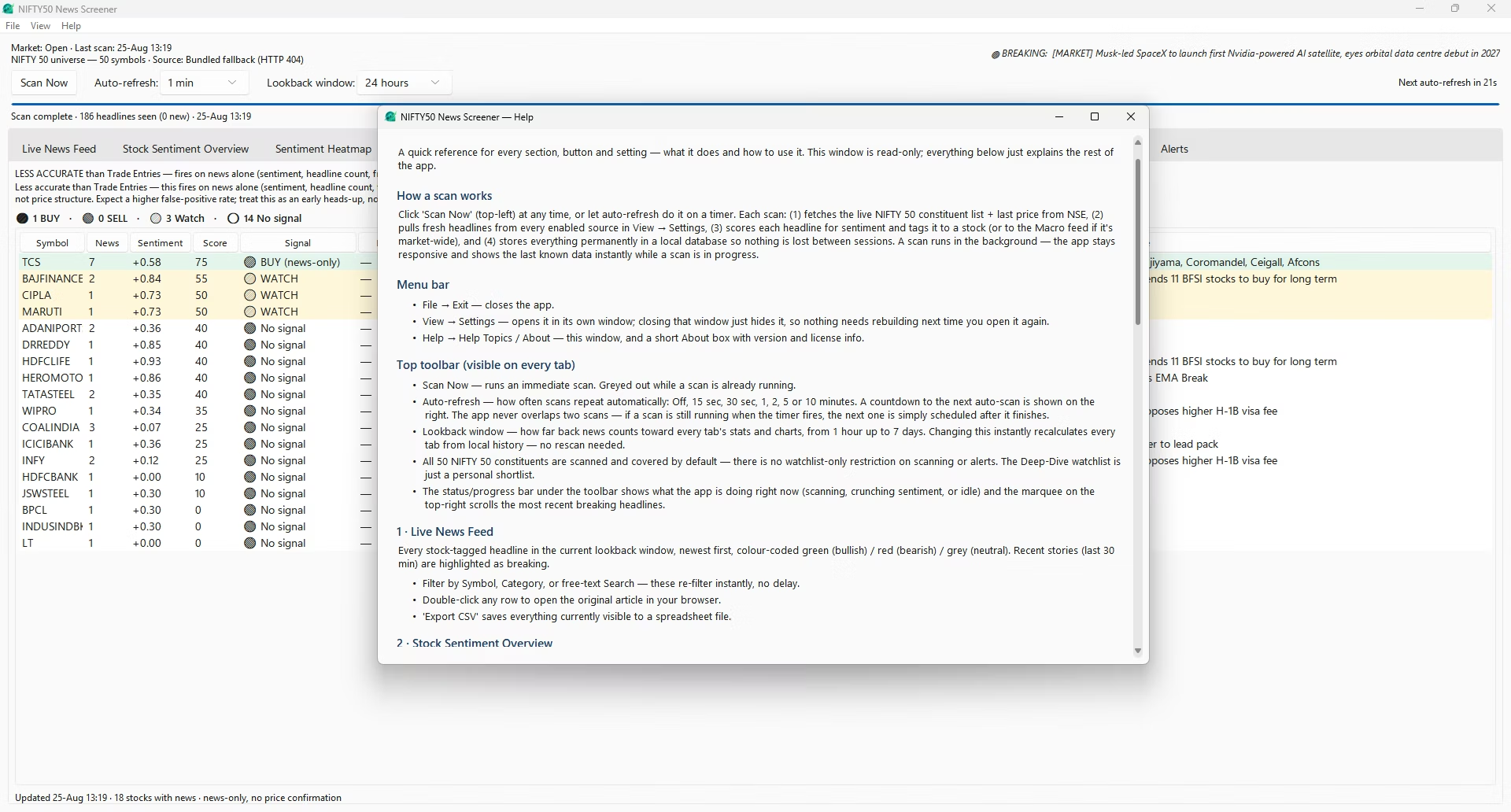
The controls above every tab
| Control | What it does |
|---|---|
| Scan Now | Runs an immediate scan of all sixteen feeds; greys out while a scan is already in flight. |
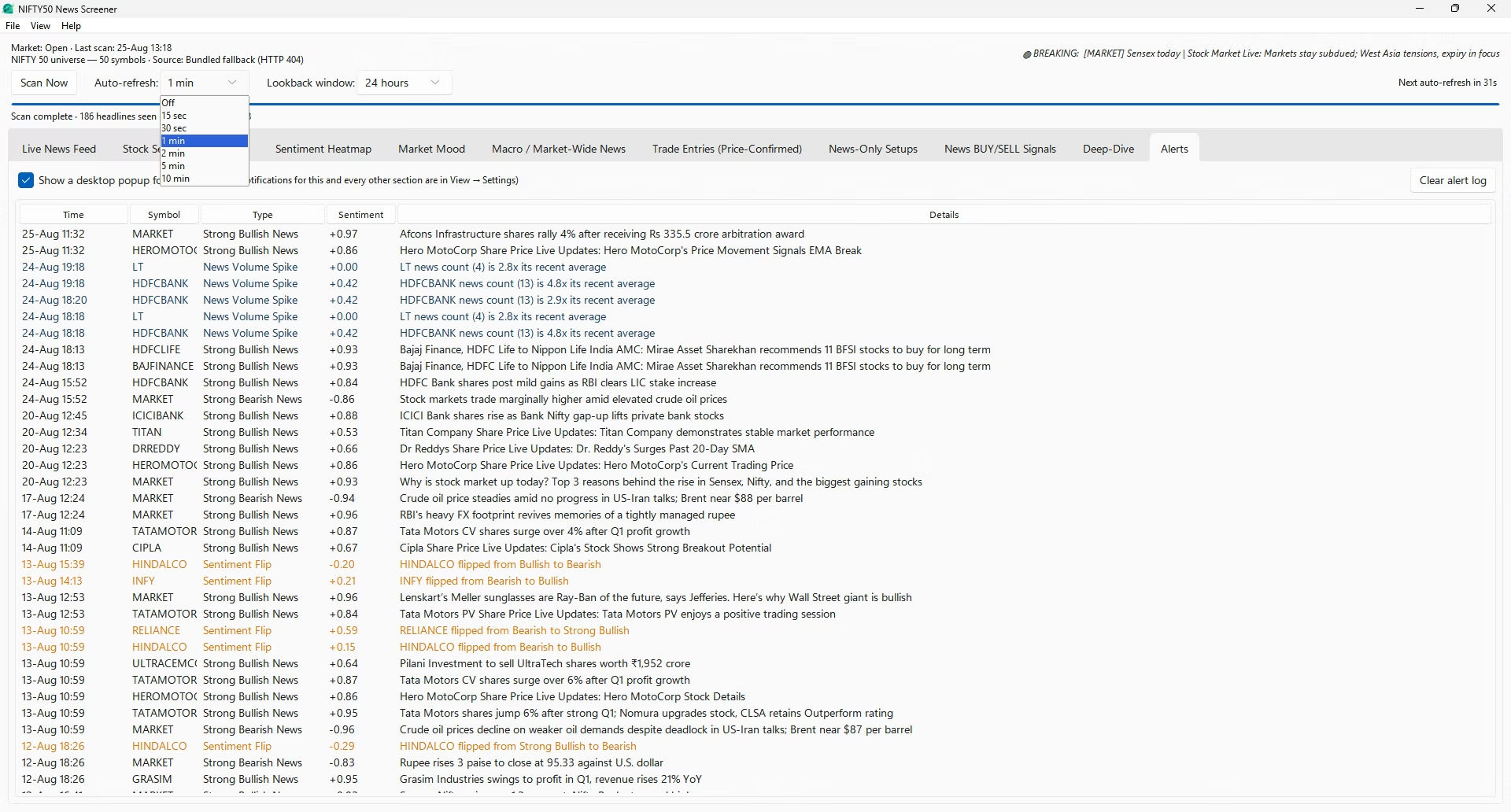
| Auto-refresh | Repeats the scan on a timer: off, 15s, 30s, 1, 2, 5 or 10 minutes. Two scans never overlap. |
| Countdown | Shows seconds remaining until the next automatic scan. |
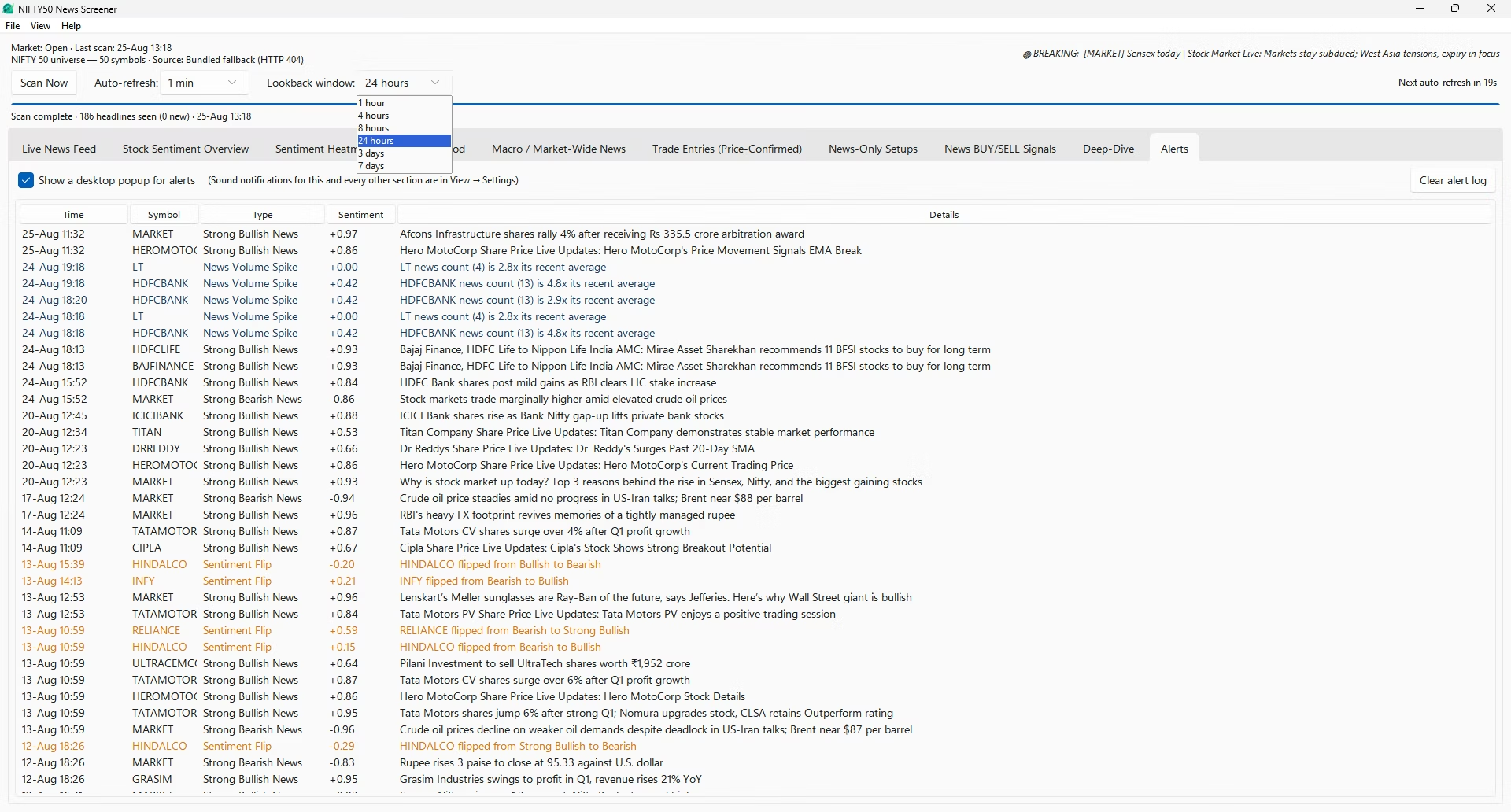
| Lookback window | How far back news counts toward every statistic and chart — one hour to seven days. Recalculates instantly from local history, with no rescan. |
| Status / progress bar | Narrates the current activity: fetching, scoring, or idle. |
| Breaking marquee | Scrolls the most recent breaking headlines across the top of the window. |
The ten dashboard tabs
Arranged roughly in the order you would use them: raw news first, aggregation second, the three signal layers and the swing screener third, per-stock detail last. Almost every symbol on every tab is double-clickable and jumps to that stock's Deep-Dive.
-
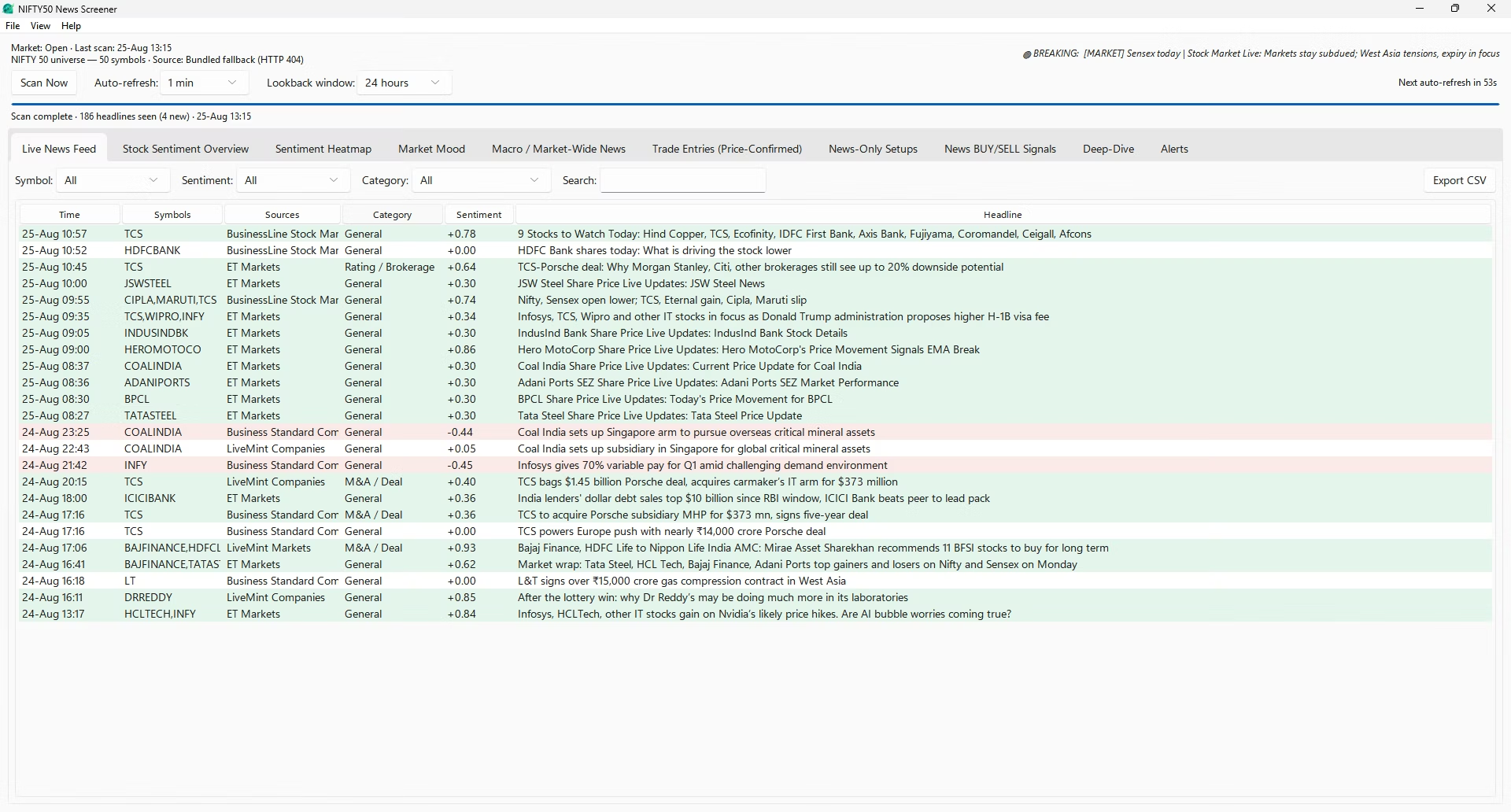
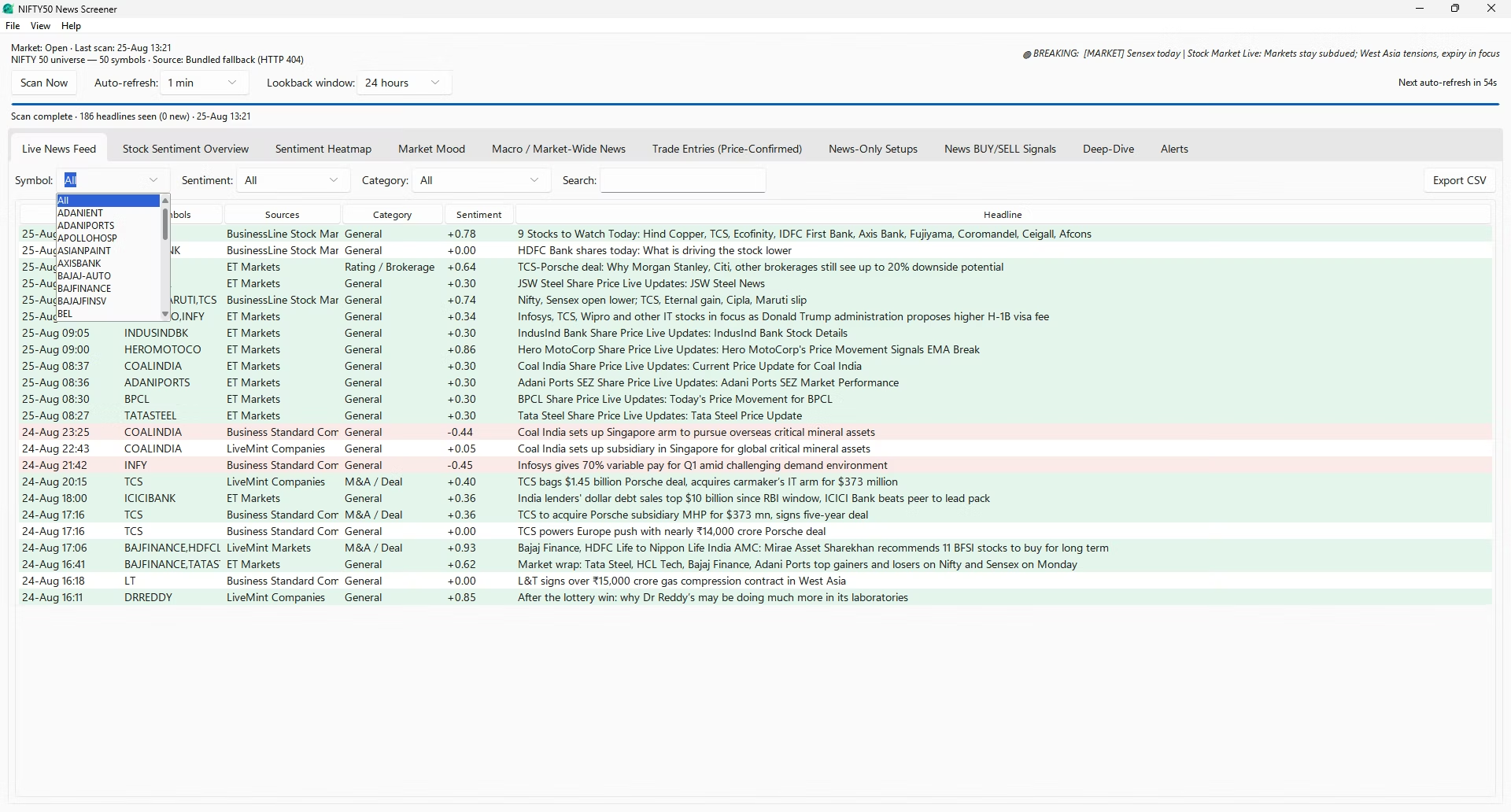
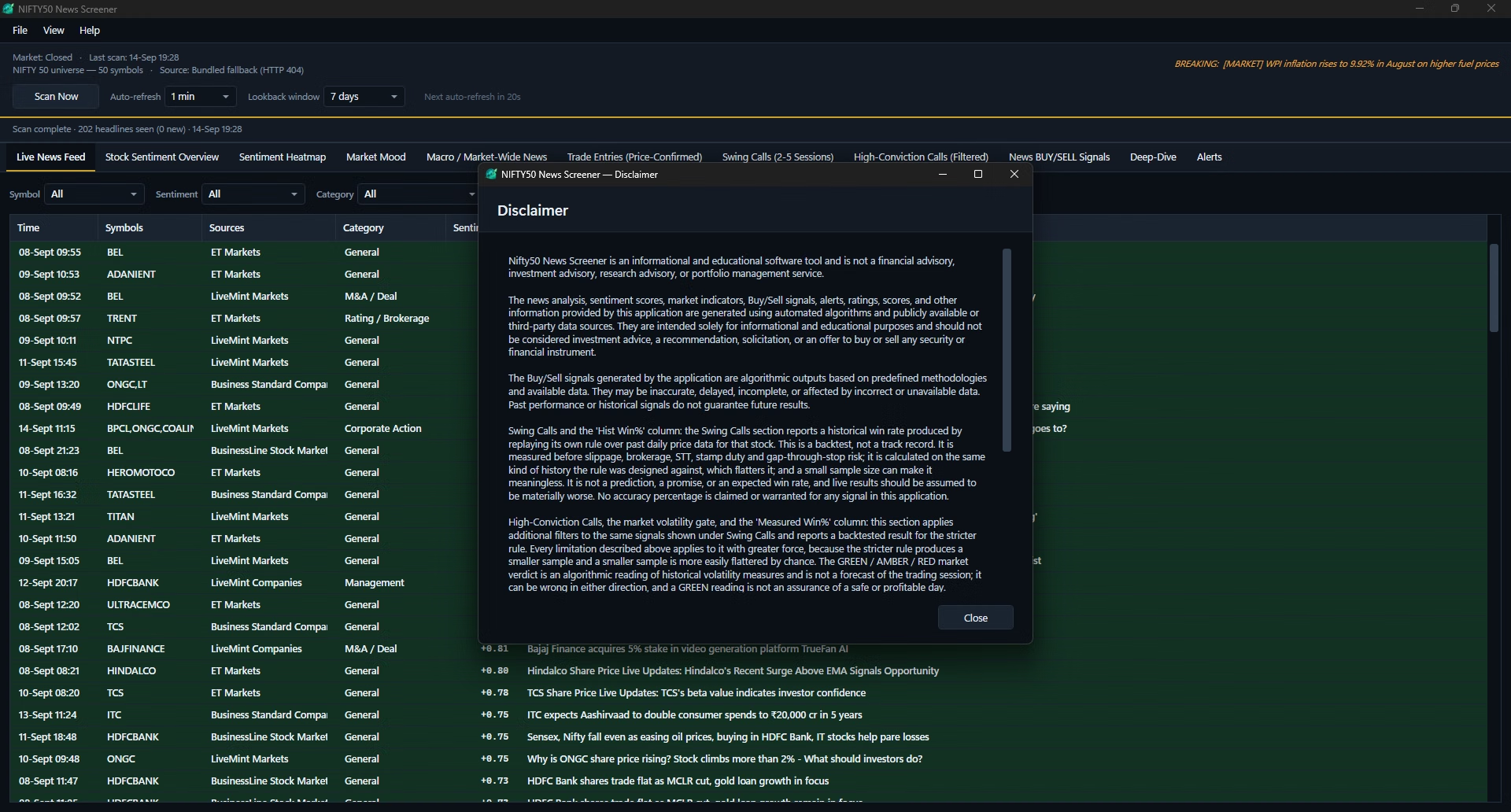
Live News Feed
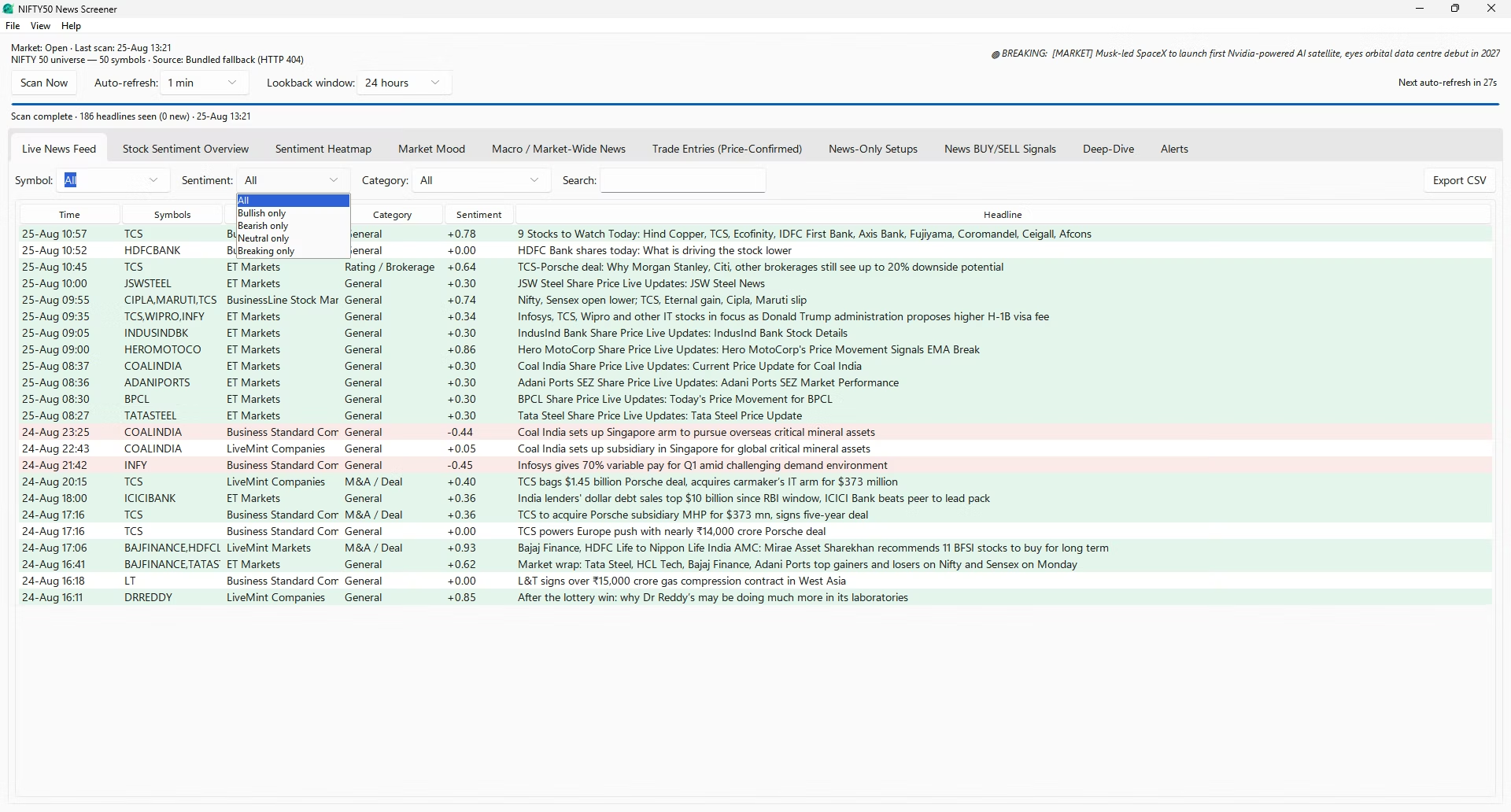
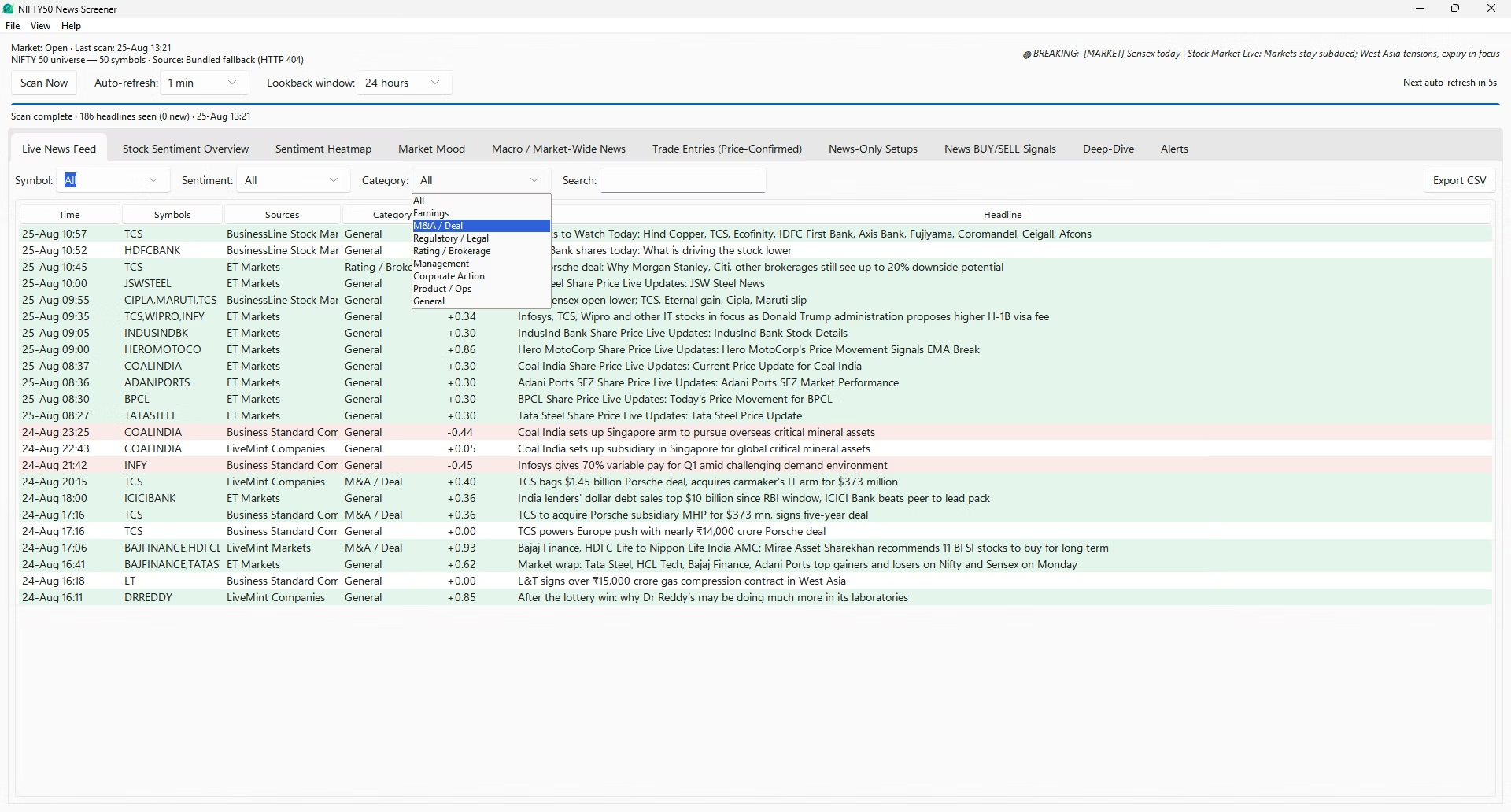
Every stock-tagged headline inside the current lookback window, newest first, in six columns: time, symbols, sources, category, sentiment and headline. Rows are colour-coded by sentiment — green, red or grey — and anything from the last thirty minutes is highlighted as breaking. When several outlets carry the same story, it becomes one row with a corroboration count instead of duplicate rows.
You can filter by symbol, filter by category, or free-text search across headlines — all applied instantly against data already in memory, with no rescan. Double-clicking a row opens the original article in your browser, and Export CSV writes the currently filtered view to a spreadsheet.
-
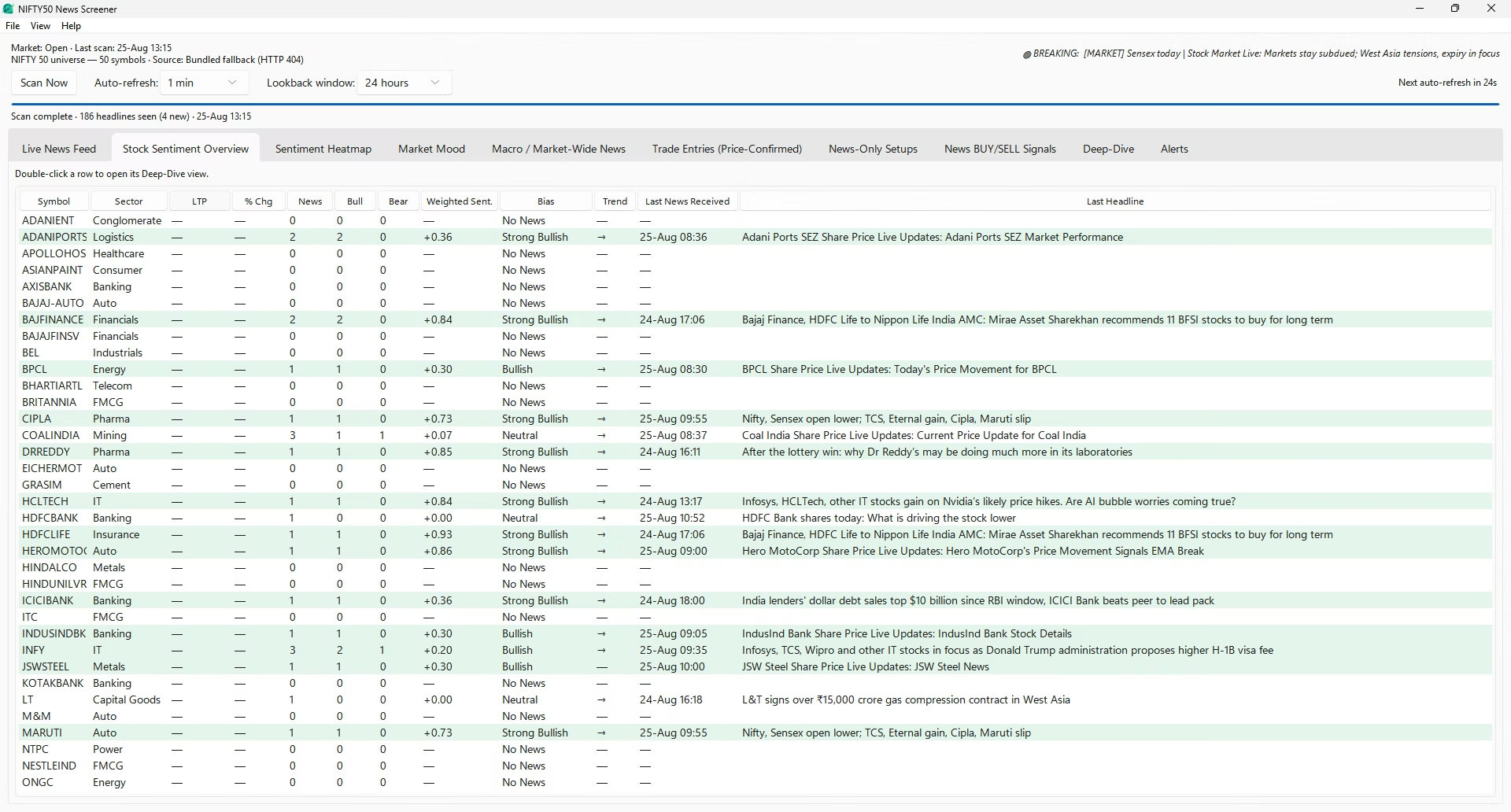
Stock Sentiment Overview
One row per stock, all fifty constituents, with twelve columns: symbol, sector, price, percentage change, news count, bullish count, bearish count, weighted sentiment, a bias label, a trend arrow, the latest headline's time and its text.
The bias label bands weighted sentiment into Strong Bullish, Bullish, Neutral, Bearish, Strong Bearish, or No News when there are no qualifying stories. The trend arrow compares current weighted sentiment against the previous scan. Every column header sorts — by sentiment to rank the index by tone, by news count to find what the market is arguing about, or by price change to spot divergence between price and coverage. Double-clicking a row opens that stock's Deep-Dive.
-
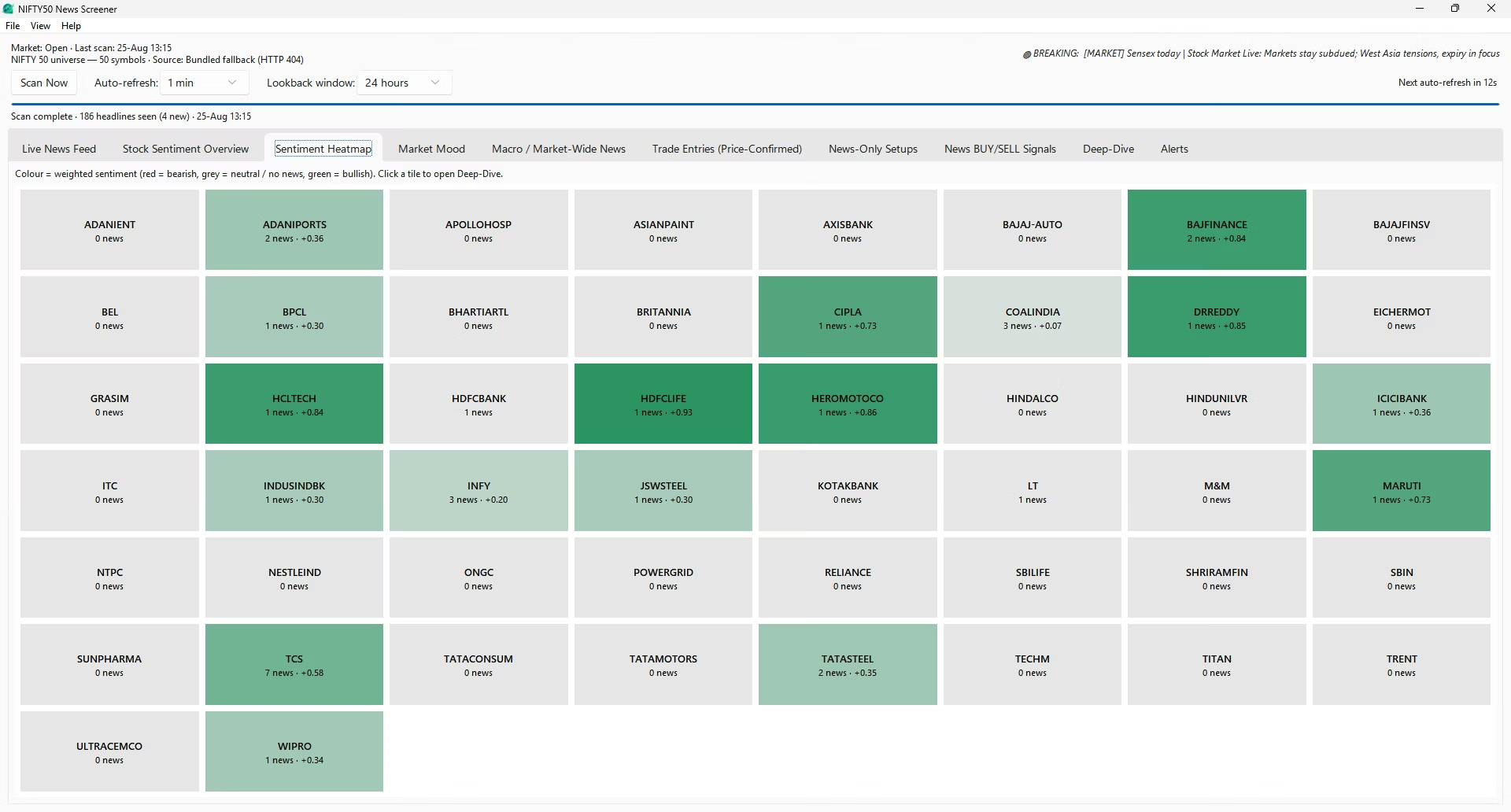
Sentiment Heatmap
The same fifty stocks as coloured tiles rather than a table: green for bullish coverage, red for bearish, grey for no news or a neutral reading, with colour depth encoding the strength of the sentiment behind it. A table of fifty rows requires reading; a heatmap requires only looking. Clicking a tile opens that stock's Deep-Dive.
-
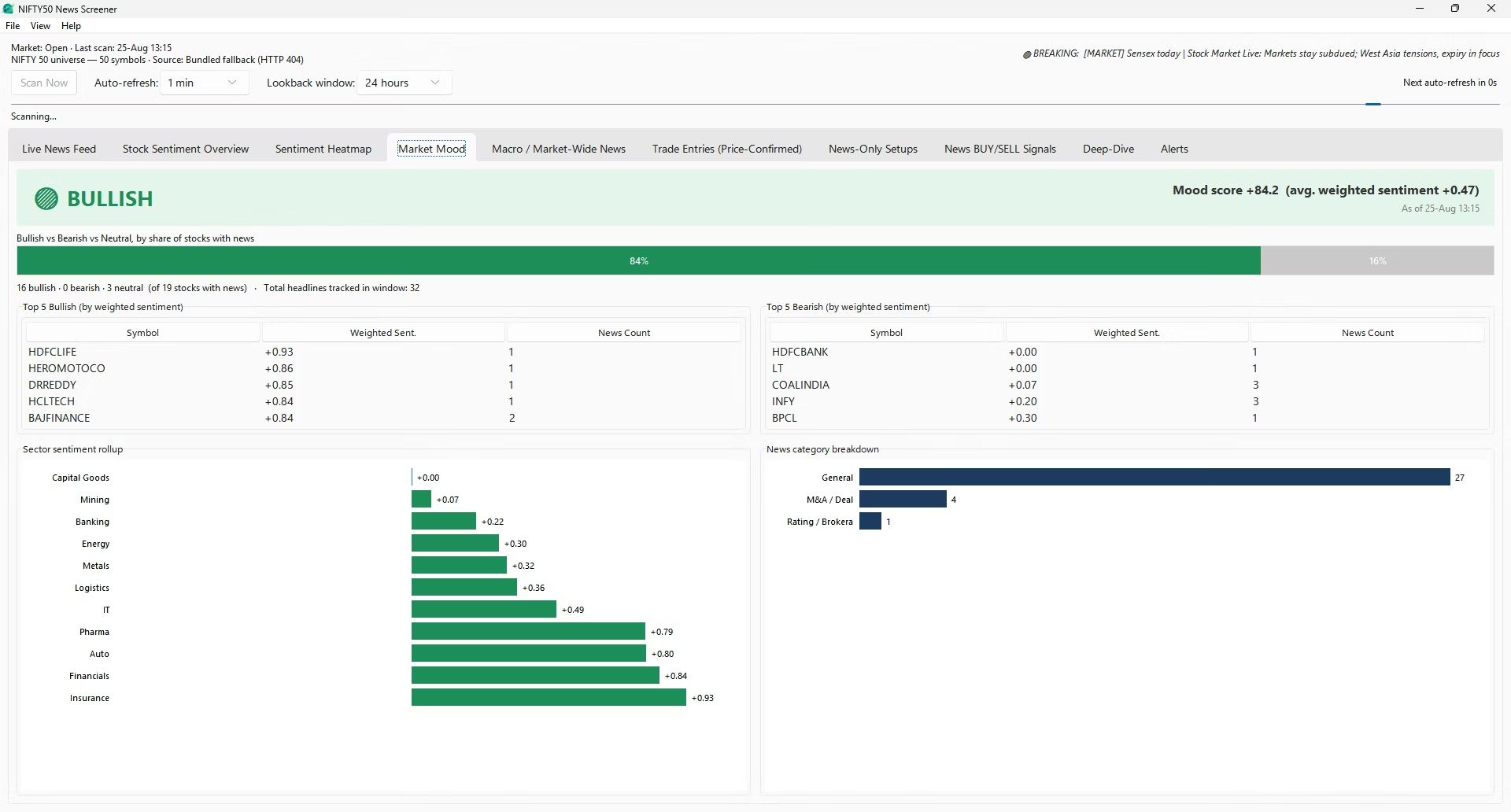
Market Mood
A single index-wide read, built from five parts on one screen.
- Mood banner. A colour-coded verdict — Bullish, Mildly Bullish, Neutral-Mixed, Mildly Bearish or Bearish — with a score on a −100 to +100 scale: the bullish share of stocks with news, minus the bearish share.
- Stacked split bar. Bullish, bearish and neutral shares of the covered universe as one bar, showing whether the mood score comes from a broad tilt or a few extreme outliers.
- Top 5 bullish / Top 5 bearish. Leaderboards ranked by weighted sentiment, each with its headline count shown alongside.
- Sector rollup. Sentiment aggregated across twenty sectors — Banking, IT, Auto, FMCG, Pharma, Metals, Energy, Power, Cement, Insurance and others — as a signed bar chart, often showing a rotation before it appears in any single stock's row.
- Category breakdown. How the day's news splits across Earnings, M&A, Regulatory, Rating, Management, Corporate Action, Product and Macro.
-
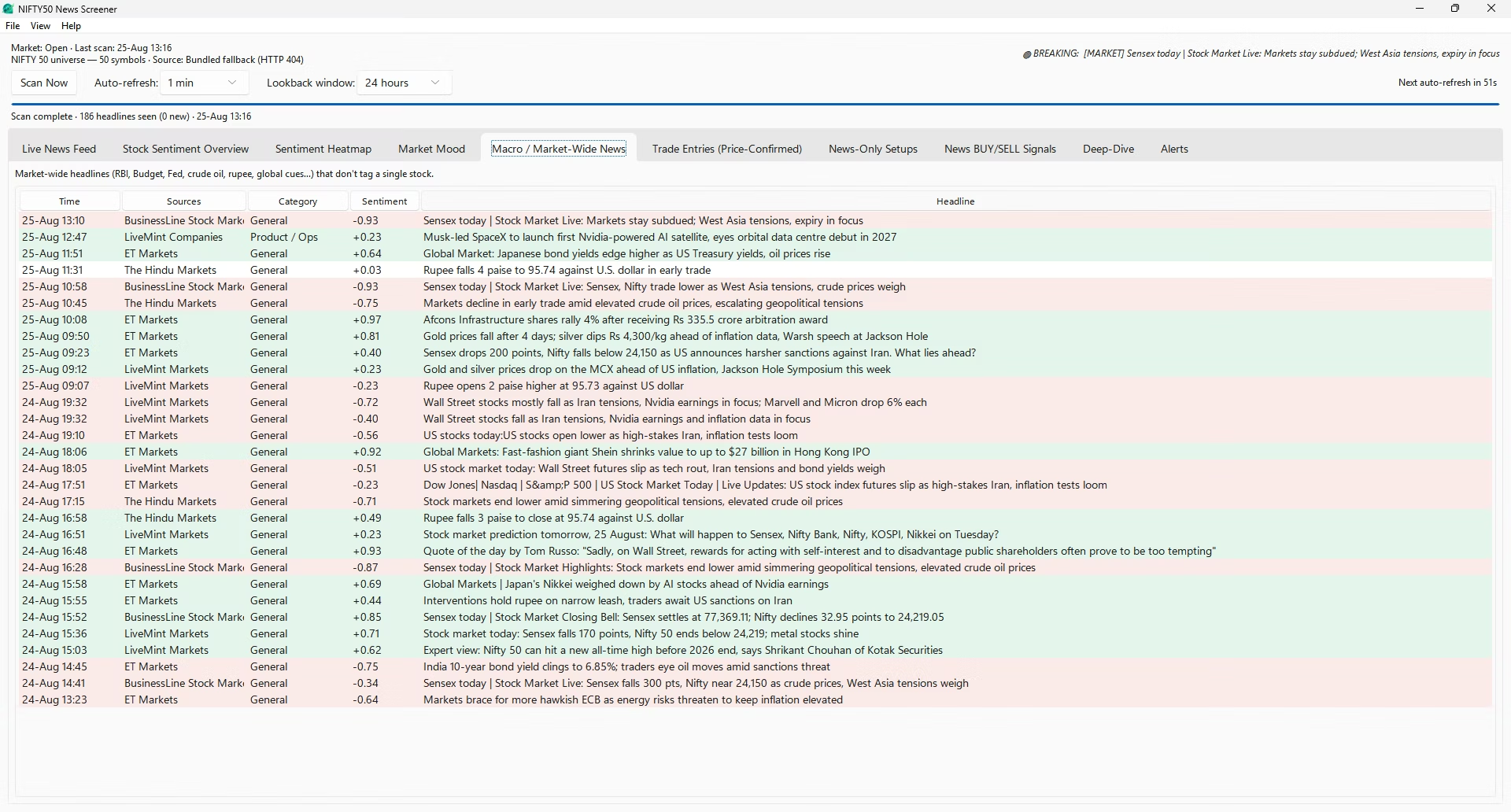
Macro / Market-Wide News
Some of the most important stories name no company at all — a repo-rate decision, a Budget announcement, a Federal Reserve statement, a move in crude or the rupee, an FII outflow figure, a ratings action. These are matched against a macro keyword list and routed here rather than being discarded. The layout mirrors the Live News Feed — time, sources, category, sentiment, headline — with the same colour coding and double-click-to-open behaviour.
-
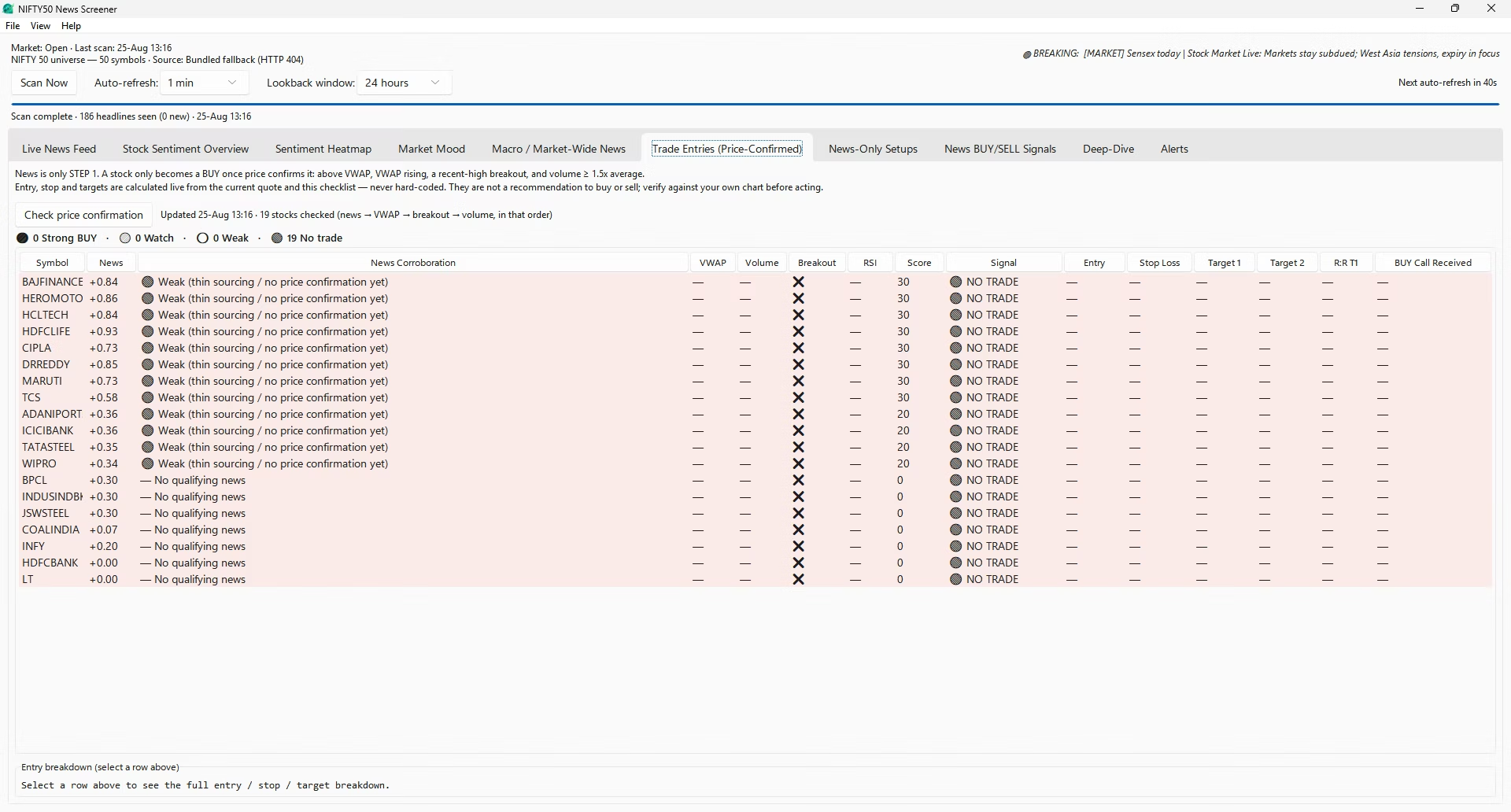
Trade Entries (Price-Confirmed)
The most conservative of the three signal layers, and the only one that requires price to agree before calling anything a setup. Pressing Check price confirmation fetches a live quote for the twenty stocks currently carrying the strongest sentiment and scores each against a checklist:
Condition Points News sentiment above +0.30 / above +0.50 +20 / +10 Price above VWAP / VWAP rising +20 / +10 Volume at or above 1.5× its recent average +15 Breakout of the 15-minute high +20 RSI between 50 and 70 +5 Index trend bullish on the day +10 Price below VWAP / weak volume confirmation −20 / −15 The total is clamped to 0–100: 80+ reads Strong BUY setup, 65–79 Watch, 50–64 Weak, below 50 No trade — demoted a grade if the score rests on a single, uncorroborated source. At 65+ with a genuine breakout, the app computes an entry at the breakout level, a stop at the nearer of VWAP or a tight buffer, and two targets at 1.5R and 3R, all calculated live from the current quote, never hard-coded. A BUY Call Received column timestamps when a symbol first turned into a Strong BUY and holds that timestamp until the signal lapses.
-
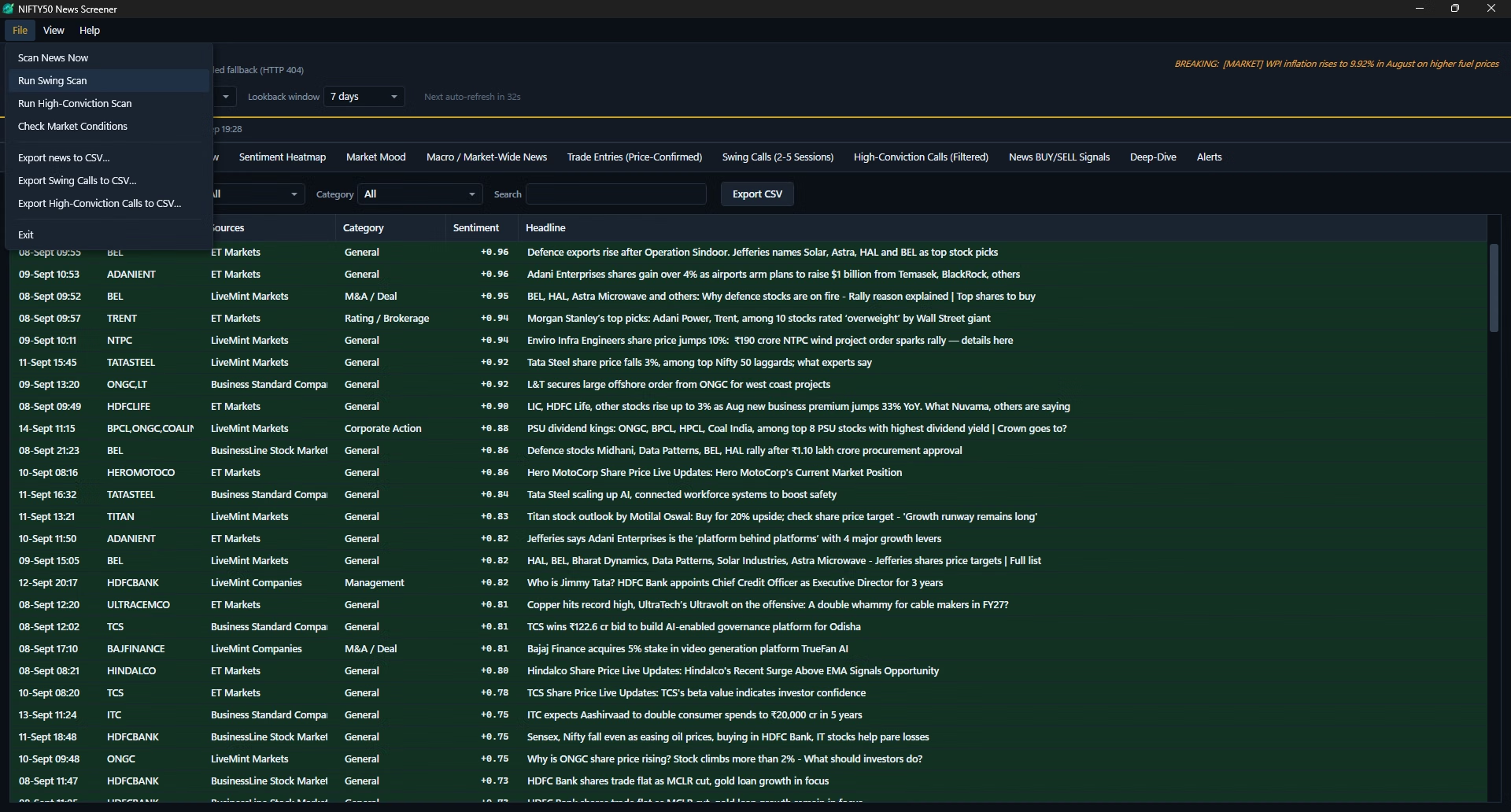
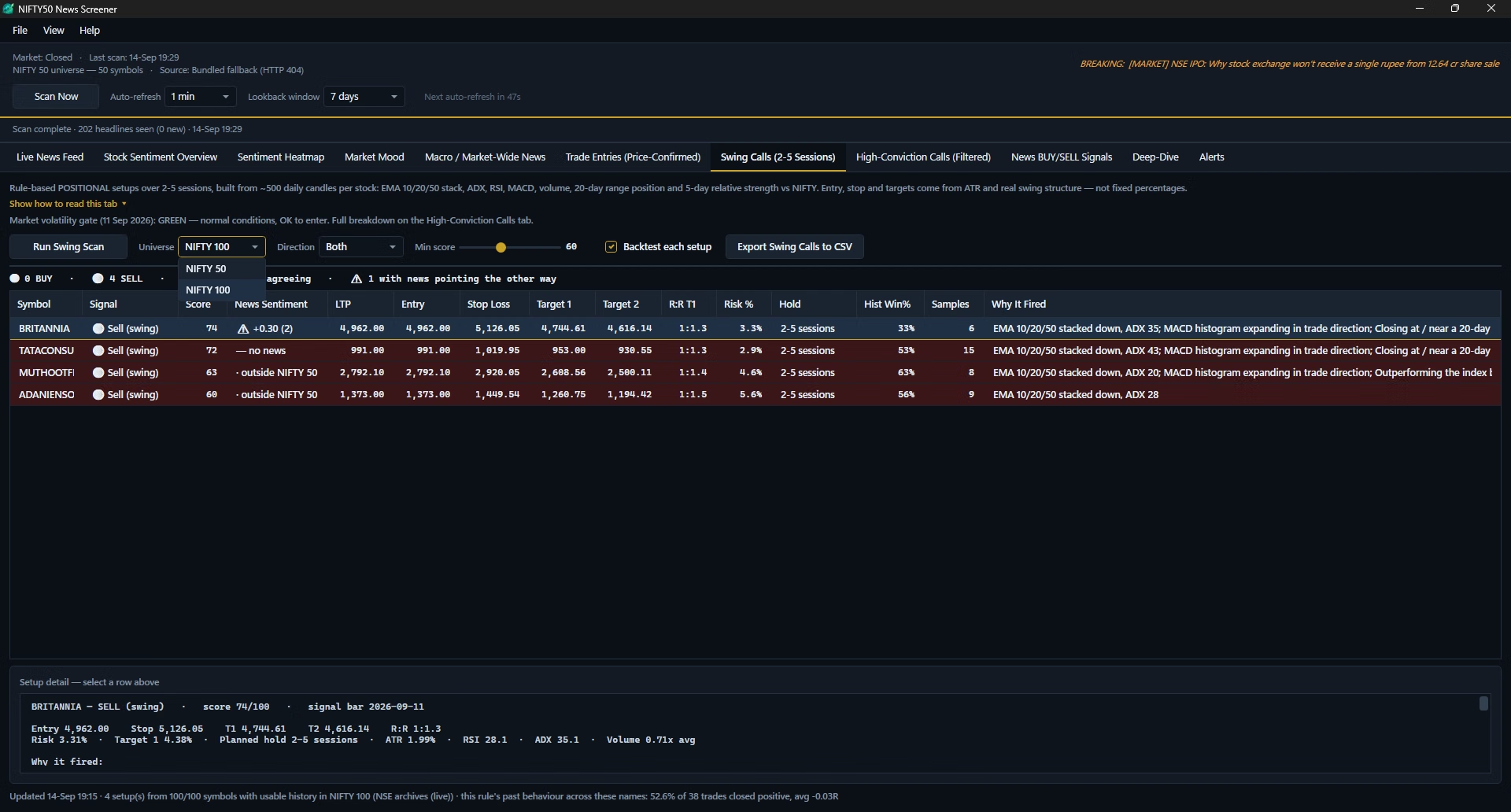
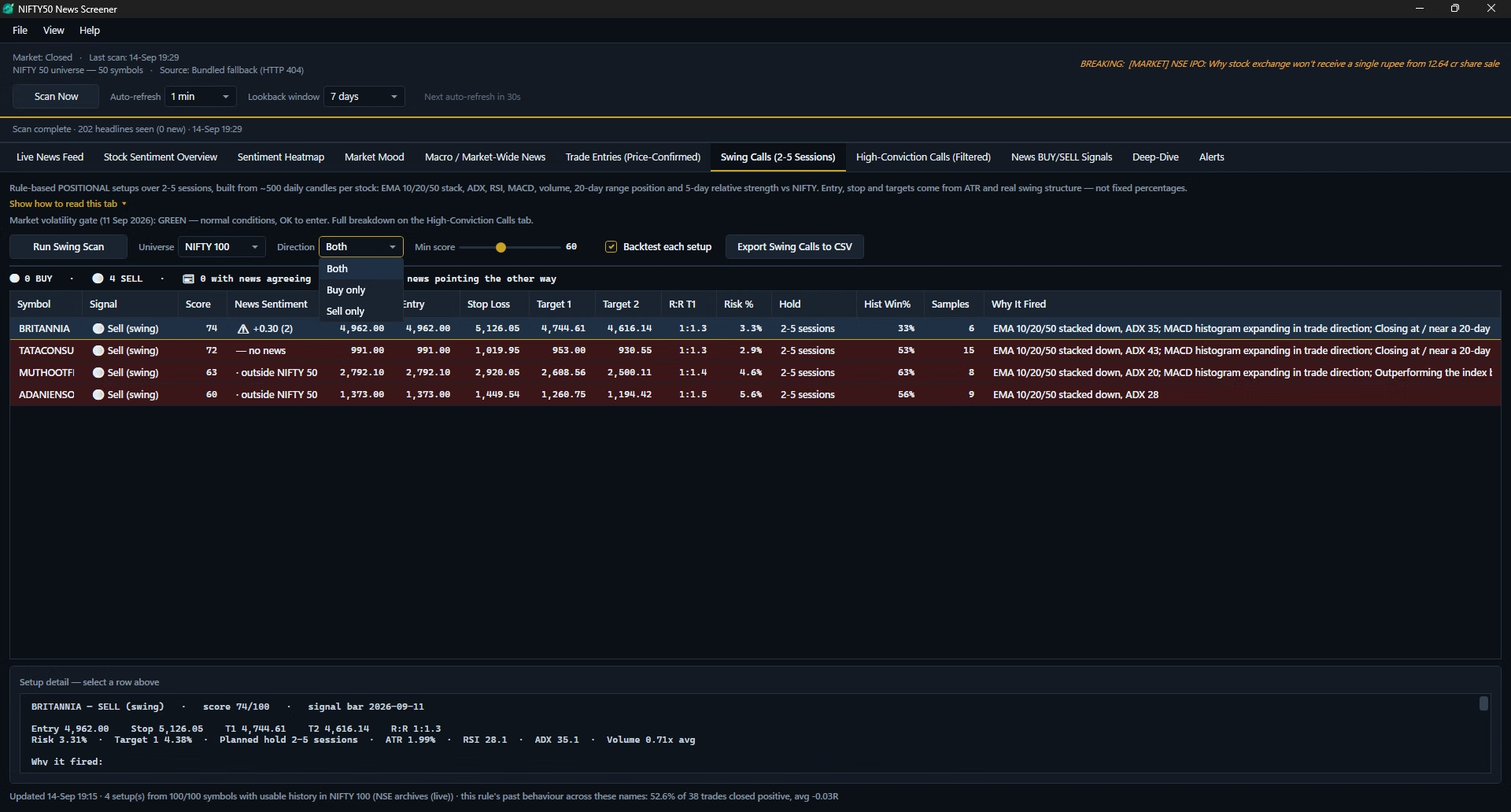
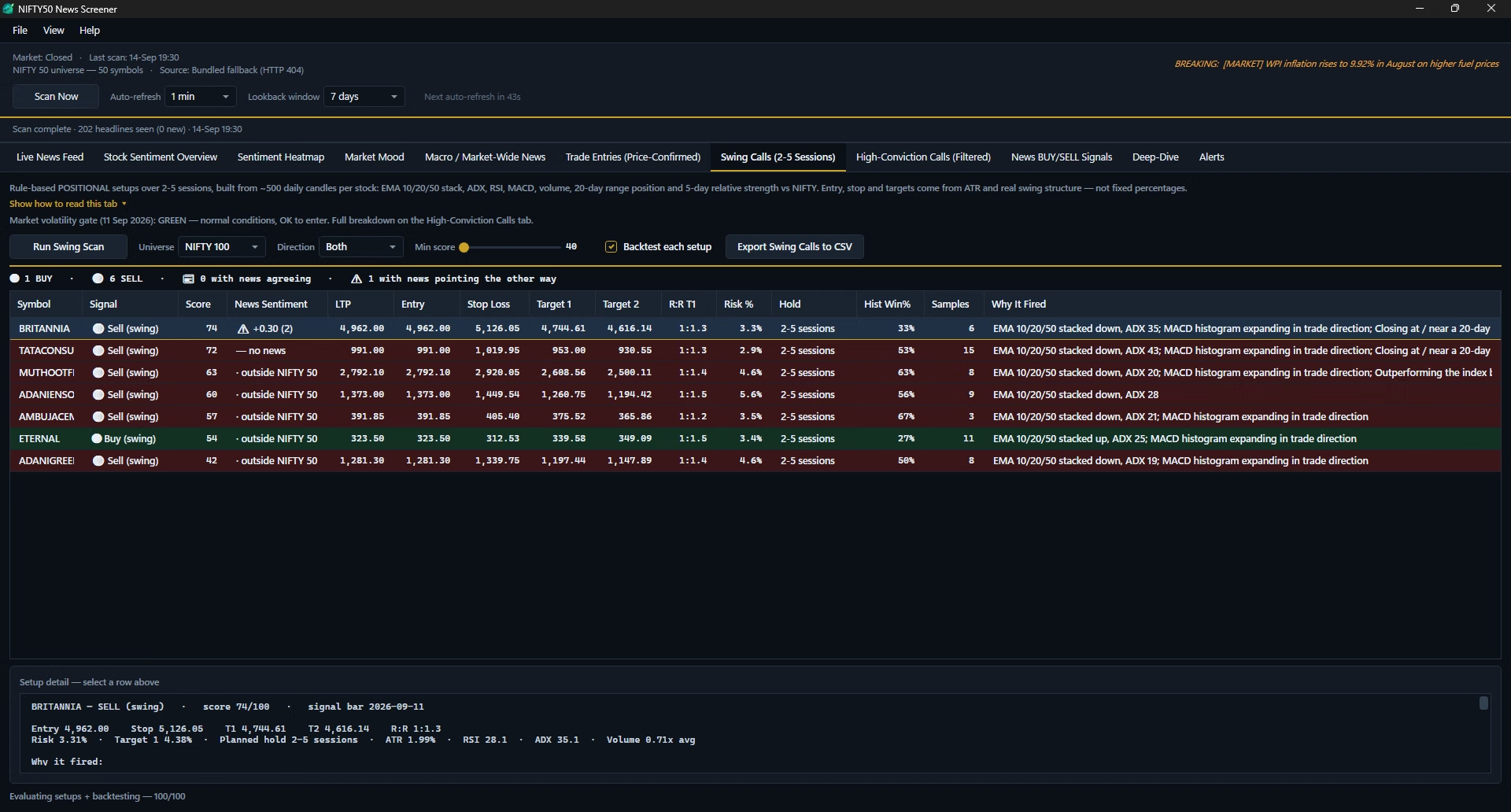
Swing Calls (2–5 Sessions)
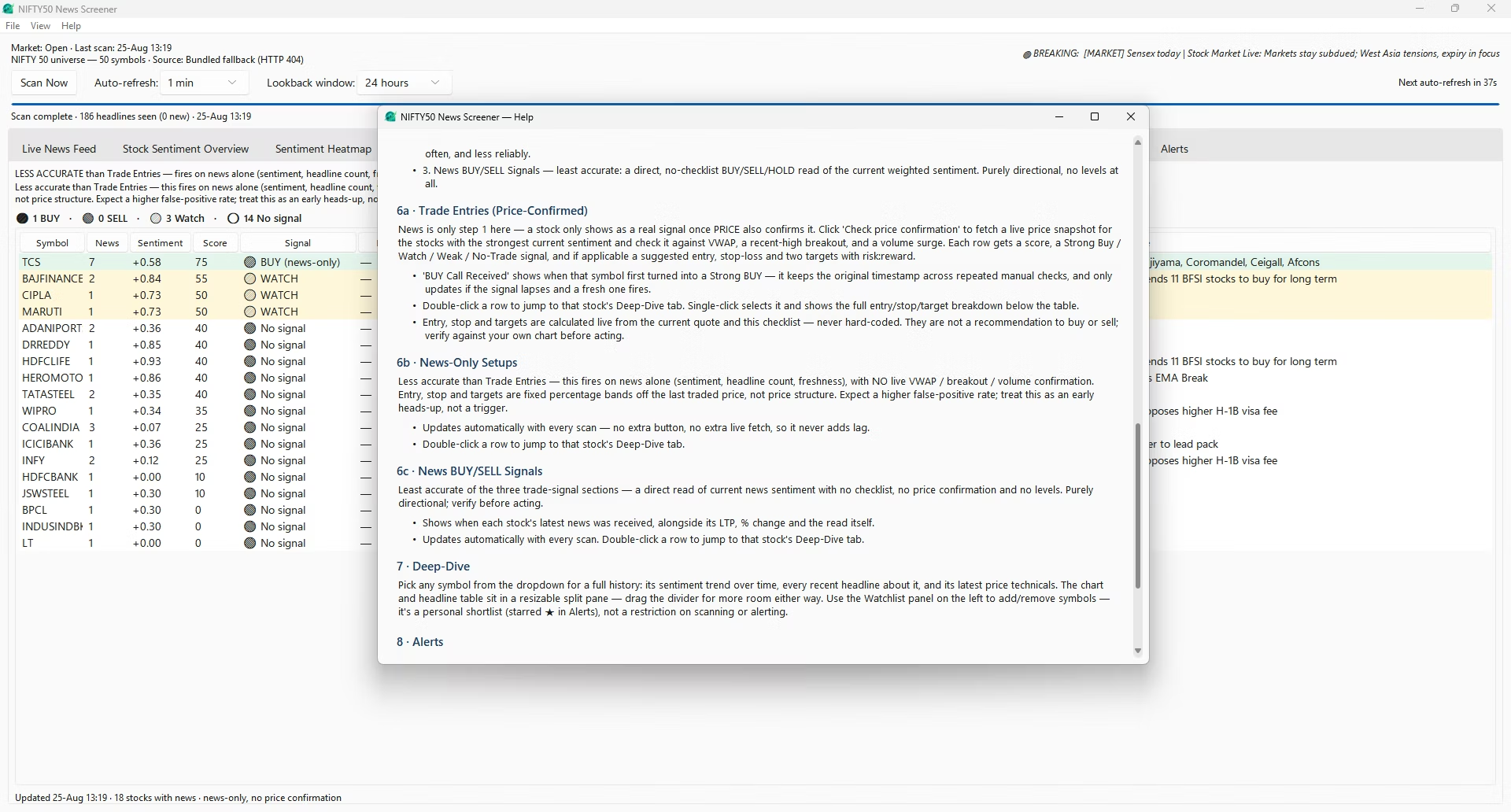
A complete change of method, not a looser version of the tab above — this layer never reads a headline. Pressing Run Swing Scan downloads roughly five hundred daily candles for every stock in your chosen universe and applies a fixed trend-continuation rule aimed at a two-to-five-session hold. Surviving setups get an entry, a stop loss, two targets, a risk-to-reward ratio and — the only accuracy figure in the product — a measured historical win rate with its sample size.
Controls on the tab: Universe (NIFTY 50 or NIFTY 100, default NIFTY 100), Direction (buy, sell or both), Min score (40–90, default 60), a Backtest toggle, and Export to CSV. The full rule set — gates, scoring and levels — is covered in the swing trading screener section below.
-
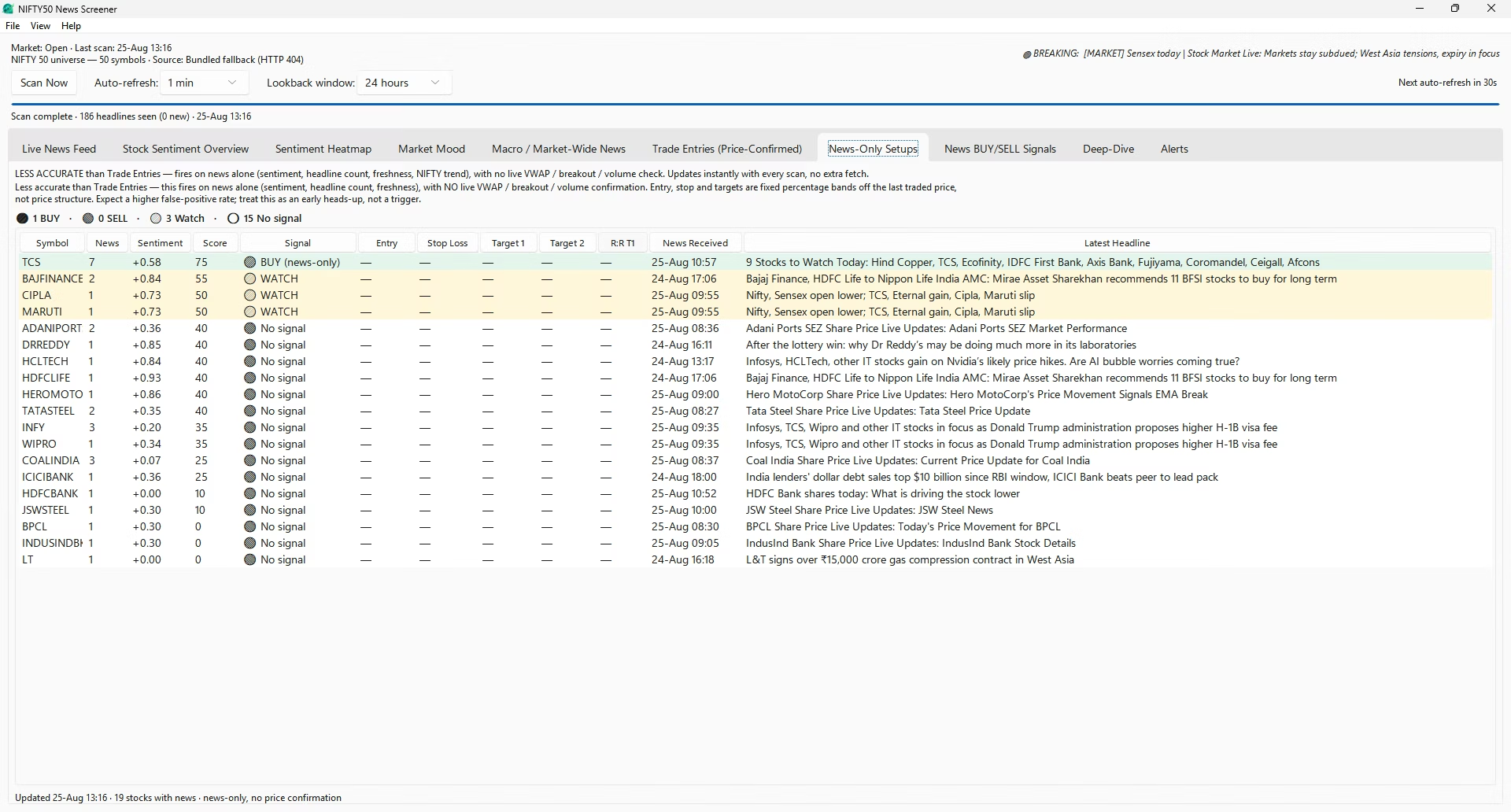
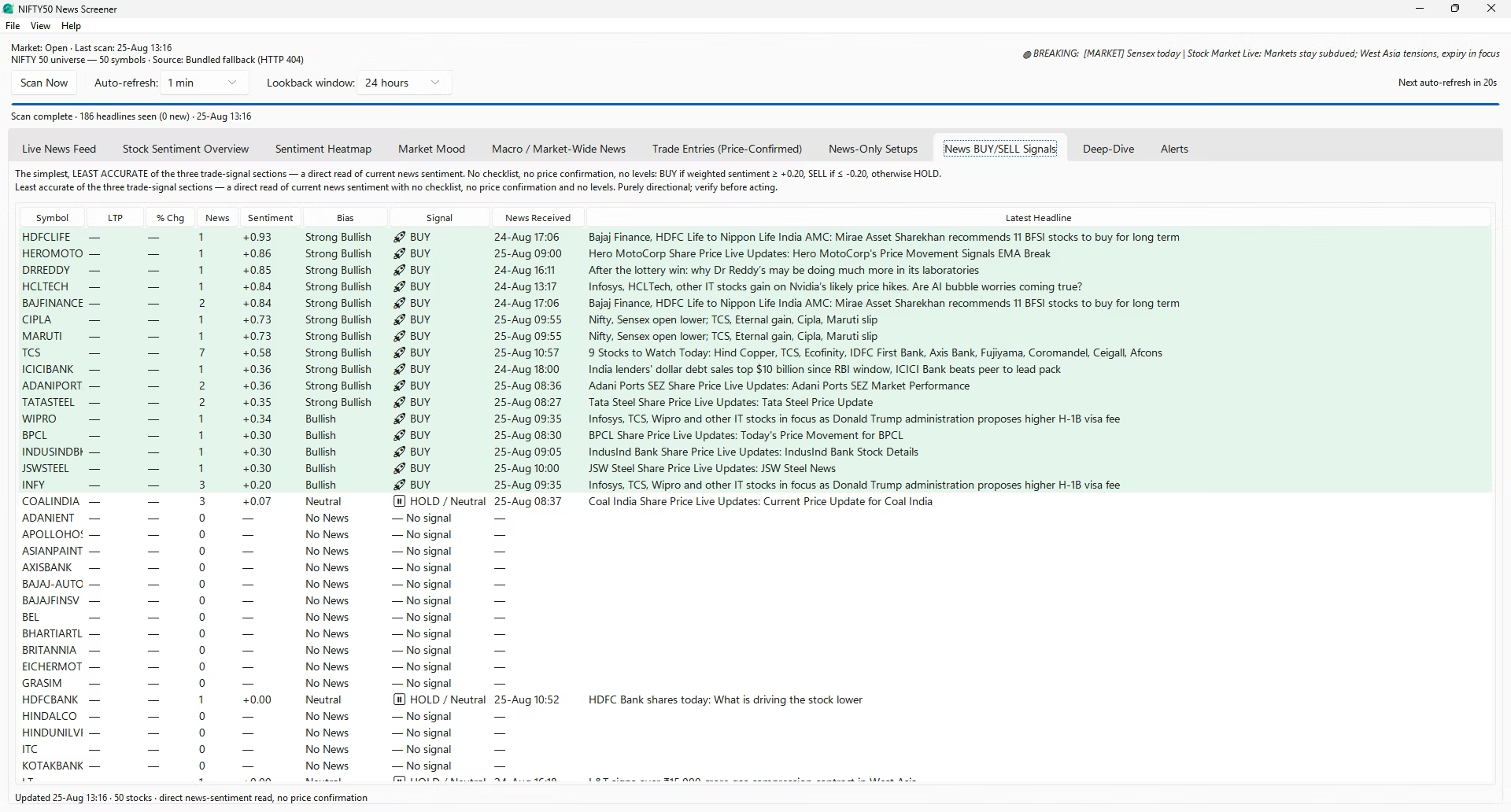
News BUY/SELL Signals
The simplest read in the app: no checklist, no score, no entry or stop — just a direct mapping from a stock's current weighted sentiment to a verdict. At +0.20 or above it prints BUY; at −0.20 or below, SELL; in between, HOLD or Neutral; with no qualifying news, nothing. The table shows symbol, price, percentage change, headline count, weighted sentiment, bias label, the signal, and the time and text of the latest story. Being the least filtered layer, it is also the noisiest — a single strongly worded headline on a thinly covered stock can flip a row.
-
Deep-Dive
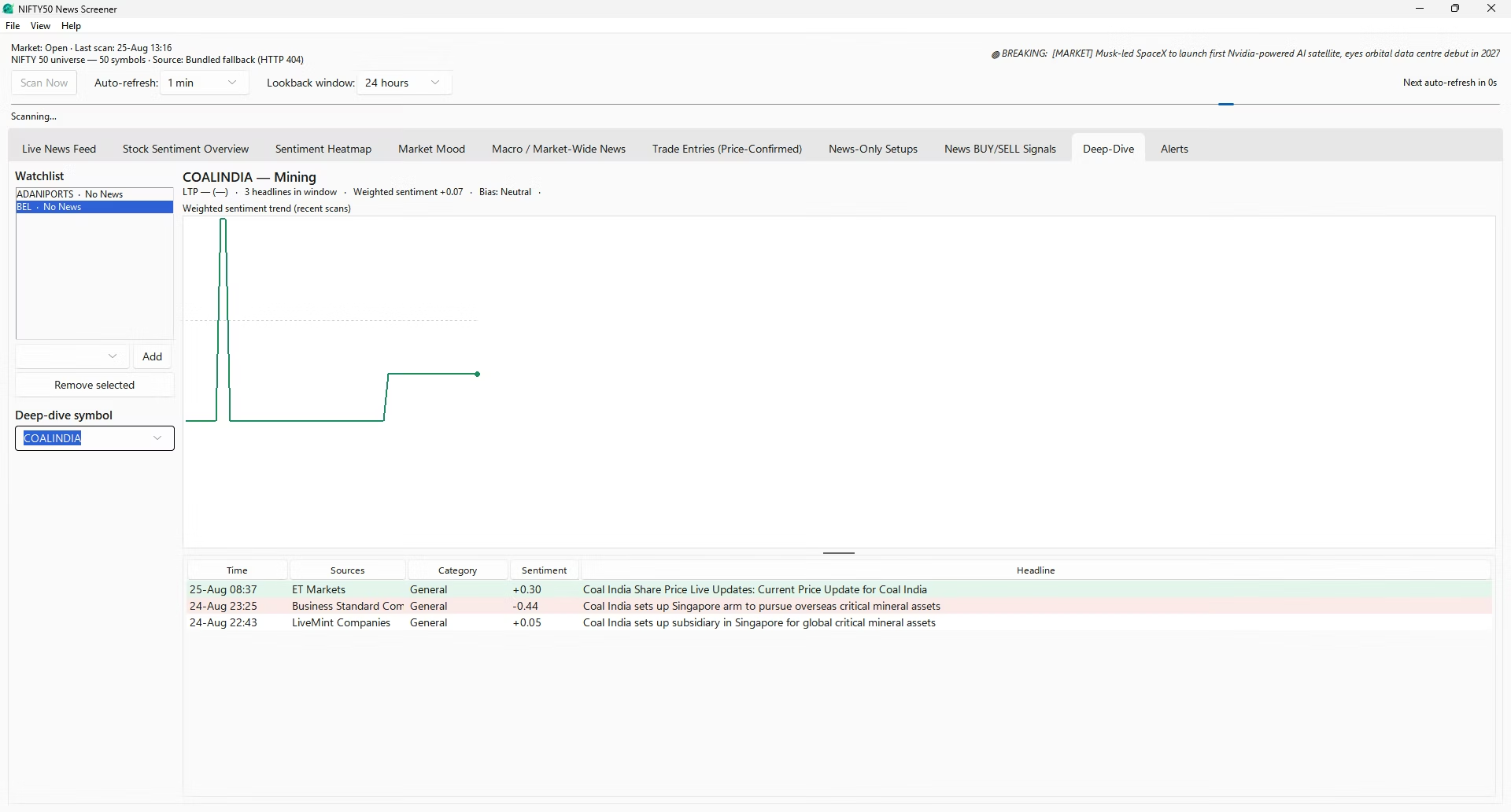
The per-stock view, reached by double-clicking almost any row elsewhere in the app, or by choosing a constituent from its dropdown. It shows a sentiment trend chart built from stored history, every recent headline in a sortable table, the latest price technicals alongside the news, and a resizable split pane between chart and table.
A Watchlist panel on the left lets you add or remove symbols as a personal shortlist — it stars matching rows in the Alerts tab but does not restrict what is scanned or alerted on; all fifty constituents are always covered regardless of what is on it.
-
Alerts
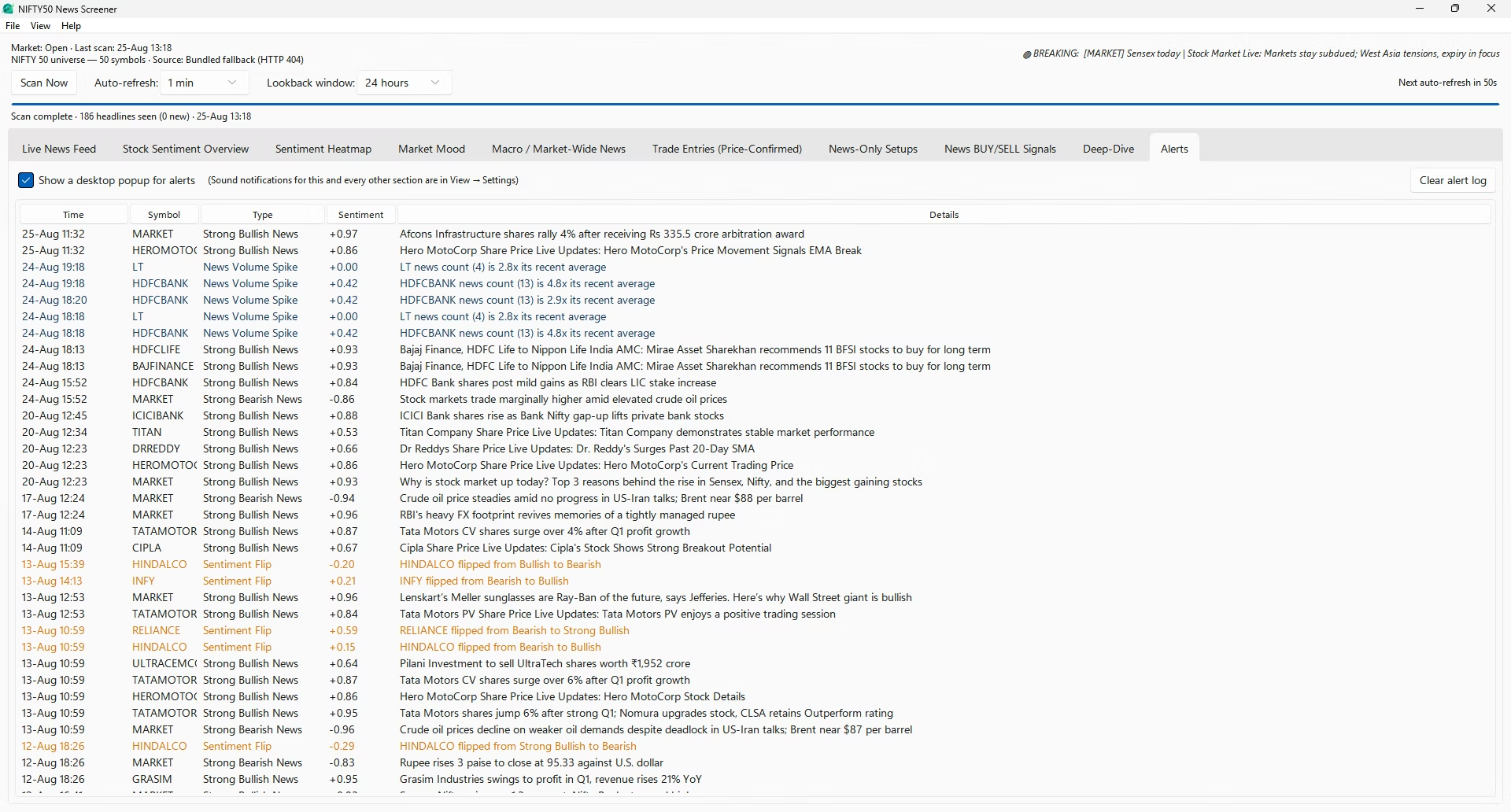
A running log of everything the app has flagged on its own, across the whole index: time, symbol, alert kind, sentiment and message. Three events are logged:
- Strong single headline — a story whose sentiment magnitude reaches 0.5 with sufficient intensity behind it.
- Sentiment flip — a stock's bias crossing from bullish to bearish or the reverse, requiring at least two headlines behind the new state so a lone outlier cannot trigger it.
- News volume spike — a stock's headline count reaching at least three, and at least two-and-a-half times its own recent baseline, regardless of direction.
Desktop pop-ups toggle on this tab, with watchlist symbols marked by a star in the toast title. Sound is configured per section in Settings. Double-clicking a recognised symbol opens its Deep-Dive, and a Clear alert log button wipes the history when it gets long.
Inside the swing trading screener: rules and thresholds
One rule, applied identically to every stock in the universe, aimed at trend continuation over a two-to-five-session hold. That narrowness is what makes the historical measurement below meaningful — a single fixed rule can be replayed over past data honestly.
Universe
NIFTY 50 or NIFTY 100, fetched live from the exchange on each scan so index reshuffles are picked up automatically, with a cached and then a bundled fallback if that fails. NIFTY 100 is the default: the rule is selective enough that across only fifty names it will correctly return nothing on plenty of days, and a wider pool adds candidates without loosening a single criterion.
Four tradability gates
All four must pass or a stock is dropped before any pattern is considered.
| Gate | Threshold |
|---|---|
| Minimum price | Close above ₹50 |
| Minimum liquidity | 20-day average turnover above ₹5 crore |
| Trend strength | ADX(14) above 18 |
| Volatility ceiling | ATR below 7% of price |
Direction and trigger
A buy setup needs the moving-average stack aligned upward — EMA 10 above EMA 20 above EMA 50, close above EMA 20 — MACD agreeing (a crossover or a same-side reading against the zero line), and RSI between 48 and 72. A sell setup is the exact mirror, RSI 28–52. The trigger then asks what the stock did today: the close must break the previous session's high for a buy, or its low for a sell, or finish within half a percent of the ten-day extreme.
The hundred-point score
| Component | Max points | What earns them |
|---|---|---|
| Trend quality | 25 | Scales with ADX above the entry gate of 18. |
| Momentum | 20 | MACD histogram expanding in the trade direction, plus RSI proximity to the ideal reading. |
| Volume confirmation | 20 | 1.8× the 20-day average or better takes full marks; below-average volume scores 3 and attaches a caution. |
| Position in range | 20 | Closing at or near a 20-day extreme in the trade direction takes full marks. |
| Relative strength | 15 | Five-day return against NIFTY, direction-adjusted. |
Levels, from volatility rather than round numbers
Entry is the last close. The stop is the tighter of 1.5×ATR and the five-bar swing low for a buy — or swing high for a sell. Target 1 sits at 2.2×ATR, Target 2 at 3.5×ATR. Any setup whose reward-to-risk on Target 1 falls below 1.2 is discarded outright rather than shown as a weak idea. Selecting a row converts the stop distance into a share count at one percent account risk.
The historical win rate, and what it excludes
The identical rule is replayed over roughly the last four hundred sessions of that stock's own history. Each historical signal enters at the next day's open, never the signal bar's close, and exits at the stop, at Target 1, or at the close of day five — whichever comes first; a bar that touches both stop and target inside it is booked as a loss. Two columns are shown: Hist Win% and Samples — below roughly eight trades the win rate is flagged as noise.
The backtest excludes slippage, brokerage, securities transaction tax, stamp duty and overnight gaps through the stop, and is measured on the same kind of history the rule was designed against. Assume live results land below the printed figure. Average R per trade — win rate multiplied by average win, minus loss rate multiplied by average loss — is the number that actually decides whether a rule makes money, and matters more than the win rate alone.
Where news meets the swing engine
Each swing row carries a News Sentiment column, for context only. A tick means current weighted sentiment agrees with the technical setup; a warning mark means it disagrees; news can neither create a swing signal nor block one.
The sixteen news sources
Every feed is fetched on every scan. Weight is the reliability multiplier applied to that outlet's headlines throughout the sentiment calculation.
| Source | Coverage | Weight |
|---|---|---|
| Reuters India | Wire-service Indian business news | 1.00 |
| LiveMint Markets | Markets desk | 0.90 |
| LiveMint Companies | Company and corporate news | 0.85 |
| Business Standard Markets | Markets desk | 0.85 |
| Business Standard Companies | Company news | 0.85 |
| Business Standard Stock Market | Stock-market specific | 0.85 |
| CNBC TV18 Markets | Broadcast markets desk | 0.85 |
| Moneycontrol Business | Business desk | 0.85 |
| The Hindu Markets | Markets section | 0.85 |
| BusinessLine Stock Markets | Stock-market section | 0.85 |
| Financial Express Markets | Markets desk | 0.80 |
| Economic Times Markets | Markets desk | 0.80 |
| Zee Business Markets | Markets desk | 0.80 |
| Moneycontrol Latest News | General latest-news firehose | 0.75 |
| Indian Express Market | Market section | 0.75 |
| Financial Express Business | General business feed | 0.75 |
How every headline gets categorised
Eight buckets, matched on keyword patterns in a fixed order — a filter on the feed, a column in the tables, and a chart on Market Mood.
Earnings
Quarterly results, profit and loss, EBITDA, revenue moves, beats and misses, results previews and calls.
M&A / Deal
Acquisitions, mergers, stake sales, joint ventures, divestments, buyouts and takeovers.
Regulatory / Legal
Regulator action, probes, raids, penalties, fines, lawsuits, court matters and show-cause notices.
Rating / Brokerage
Upgrades, downgrades, target price changes, buy/sell ratings and coverage initiations.
Management
CEO and CFO changes, resignations, appointments, board approvals and chairmanship moves.
Corporate Action
Dividends, bonus issues, stock splits, buybacks, rights issues and record dates.
Product / Ops
Launches, new plants, capacity expansion, contract and order wins, partnerships and tie-ups.
Macro
Anything that moves the whole tape without naming a constituent — routed to its own tab.
Risk disclaimer
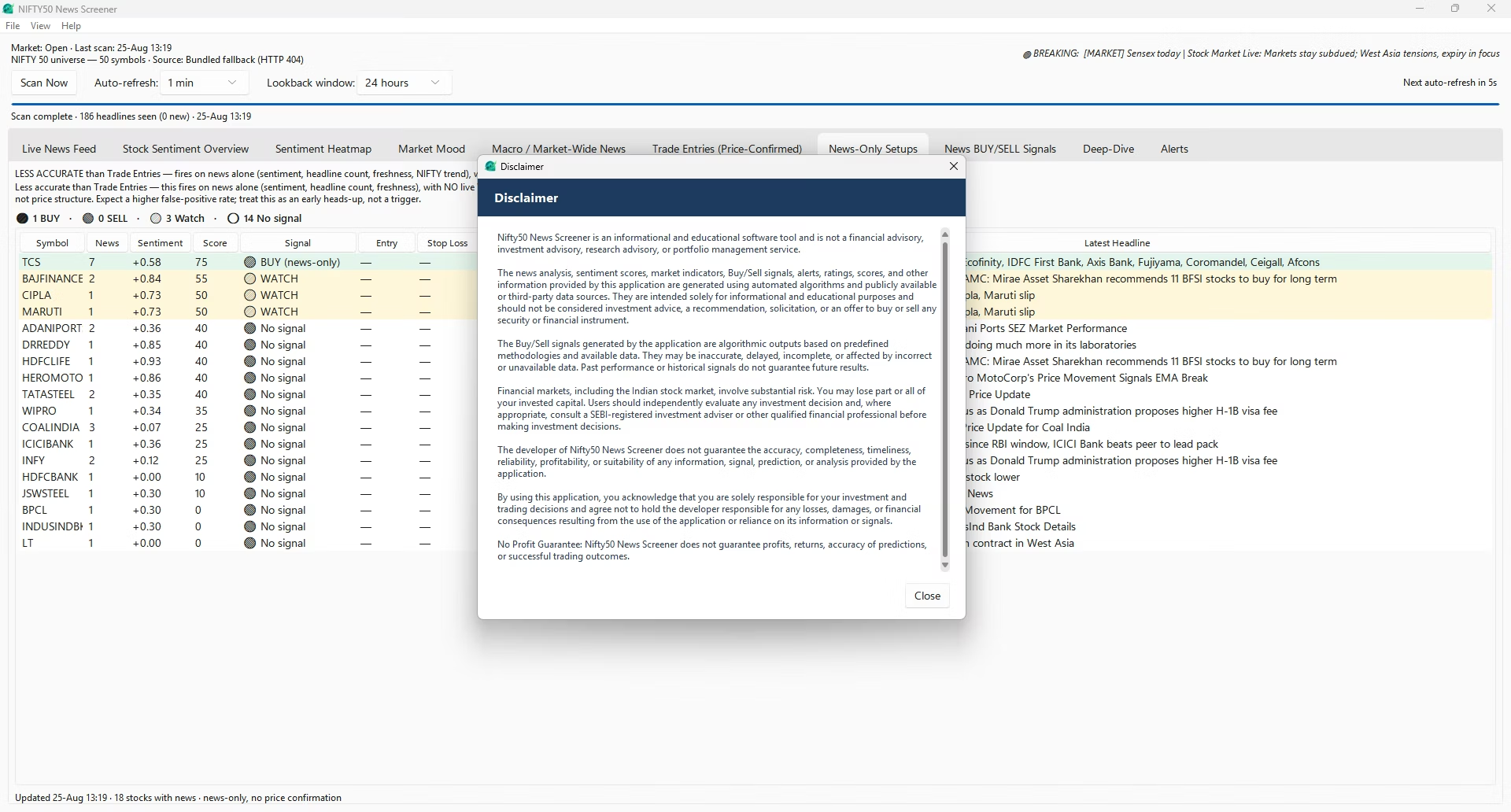
This software is an information tool, not investment advice. The Nifty 50 News Screener is not a registered investment adviser, research analyst or broker, and nothing it displays constitutes a recommendation to buy or sell any security.
News sentiment is a probabilistic signal derived from headlines. It is not a price forecast, and no accuracy figure is claimed for it. Signals, scores, entries, stop losses and targets are the output of published rules applied to public data; they can be and often will be wrong.
Trading and investing in equities carries a risk of loss, including the loss of your entire capital. Past behaviour of any signal, indicator or sentiment reading does not indicate future results. Verify anything important against the original article and your own chart before acting on it, and consider consulting a SEBI-registered investment adviser about your particular circumstances.
Market data and headlines are sourced from third-party feeds and the exchange, and are provided without warranty as to accuracy, completeness or timeliness.